Build a Car Company Admin Abuse & Live Update Events
Prepare, join, bank rewards, and re-stabilize your factory after Sunset live ops.
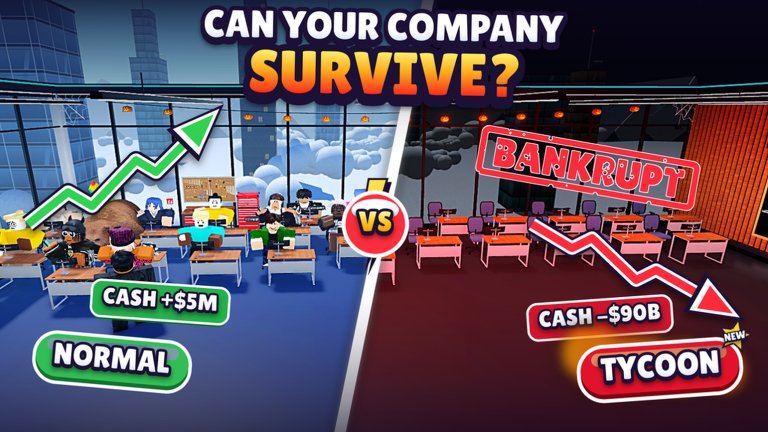
Admin Abuse and Update live events are how Sunset Entertainment turns a normal Build a Car Company session into a timed reward window. On the Roblox experience page, mid-November 2026 still listed Update alongside Admin Abuse as active event tags. This page explains what those sessions are, how to prepare, what not to do mid-event, and how to re-stabilize pricing afterward.
Pair this guide with November 2026 update notes, the Codes Hub, and the Factory Guide so free Cash and RP become robots and lines—not wasted cosmetics.
What Admin Abuse means here
In Build a Car Company, Admin Abuse is a developer-run live ops window. Expect some mix of:
- Temporary reward drops or chaos spawns
- Short-lived codes or Codes-panel focus
- Unusual server energy (more players hopping in, shoutouts, vanity moments)
- Update branding that may or may not change permanent balance
It is not a full redesign of the 2004-start fantasy, the 130+ tech tree, or the size-8 servers. Treat it as a bonus night with risk: great for banking progress, bad for half-finished tooling.
Update events on the Roblox page often sit next to Admin Abuse. Together they signal “live ops is hot”—keep the Codes button handy and assume community trackers will move faster than a written patch file.
Why these events matter for factories
Early November already proved that code Cash (notably VROOM at roughly 153K Cash and 10 RP) can skip hours of grind. Admin Abuse sessions amplify that pattern: players who show up prepared convert temporary rewards into throughput; players mid-rebuild lose the window or corrupt a sellable lineup.
With visits around 1.1M+ and favorites near 17k, event nights can spike concurrent players. Join with a plan so lag or chaos does not strand your only assembly line.
How to prepare before you join
- Empty inventory clutter — free space for temporary drops or reward items so you are not juggling full bags mid-shout.
- Codes panel ready — know where the in-game Codes UI lives; skim How to Redeem if you are rusty.
- Banking plan — decide in advance that event Cash/RP goes into robots, assembly lines, or staff seats—not random body kits. Align with Make Money Fast.
- Stable hero SKU — leave at least one crash-tested volume seller on the line so the factory still prints while you watch the event.
- Screenshot habit — unusual spawns or UI prompts are easy to forget; capture them for your personal changelog.
- Time box — if you only have twenty minutes, redeem and bank; do not start a full GT retool.
What not to do mid-event
- Do not rebuild every SKU while rewards are still dropping. Finish the event first.
- Do not delete your only profitable compact to “make room” for an experimental shell you have not tested.
- Do not ignore the Codes panel because chat is loud—temporary codes expire.
- Do not assume chaos pricing is permanent. Event demand can distort sell-through for a session.
- Do not pull scripts labeled for the wrong “Build a Car” game. Event nights attract bad executor advice; stay on Scripts hygiene if you experiment at all.
- Do not spend the entire
VROOM-scale windfall on cosmetics before robots and lines are covered.
During the session — simple playbook
- Join a fresh-ish server if your current one is unresponsive.
- Open Codes immediately; redeem anything new.
- Collect visible event rewards without abandoning the factory UI for too long.
- Park Cash into the pre-chosen robot / line / staff upgrade.
- Park RP into S-tier production or reliability nodes on the research list before exotic trees.
- Keep producing the stable volume seller in the background.
If Admin Abuse includes silly spawns or temporary vehicles, enjoy them—but keep one eye on Cash deltas so the night still counts as progression.
Post-event re-stabilize pricing
When the live window ends:
- Re-check sell-through on your main models for one small batch (Factory Guide).
- Re-run crash tests if you touched engines or bodies during the chaos (Crash Testing / Design Cars).
- Reset prices if you panic-discounted or overcharged while the server was weird.
- Log the night — date, codes redeemed, Cash/RP gained, upgrades bought. That log feeds the next monthly page like November 2026.
- Skim tier lists — engines and bodies if you unlocked new shells or powertrains.
Temporary chaos should not become your permanent price book. Re-stabilize before you tool expensive race specials.
How this ties to November 2026
Around 14 November 2026, the Roblox page still showed Update + Admin Abuse on the events list while VROOM remained the headline code story. Use the November page for month-level context and this page for the live-ops playbook you reuse every time Sunset schedules another session.
Related reading
Show up prepared, bank into throughput, and re-stabilize after the shoutouts end—that is how Admin Abuse becomes a growth night instead of a factory fire.
Quick Admin Abuse checklist
Before join: empty clutter, Codes UI known, banking targets chosen, hero SKU stable. During: redeem first, collect second, upgrade third, meme fourth. After: re-test sell-through, fix prices, log rewards, only then start glamorous retools. Repeat that loop every time Update + Admin Abuse lights up on the Roblox page.
Frequently Asked Questions
Quick answers to the most common questions.
What is Admin Abuse in Build a Car Company?
A developer-run live event window that may add temporary rewards, chaos spawns, or short-lived codes. Great for bonuses; risky for mid-rebuild factories.
How should I prepare for an Admin Abuse session?
Clear inventory clutter, keep the Codes panel ready, and pre-decide that rewards go into robots, lines, or staff—not cosmetics.
Should I rebuild my whole lineup during the event?
No. Finish redeeming and banking first. Re-test and retool after the live window ends.
What do I do after Admin Abuse ends?
Re-check sell-through, re-stabilize prices, re-run crash tests if you changed cars, and log what you redeemed for the next update notes.