How to Redeem Build a Car Company Codes
Exact menu path, case rules, and fixes when a promo code fails to apply.
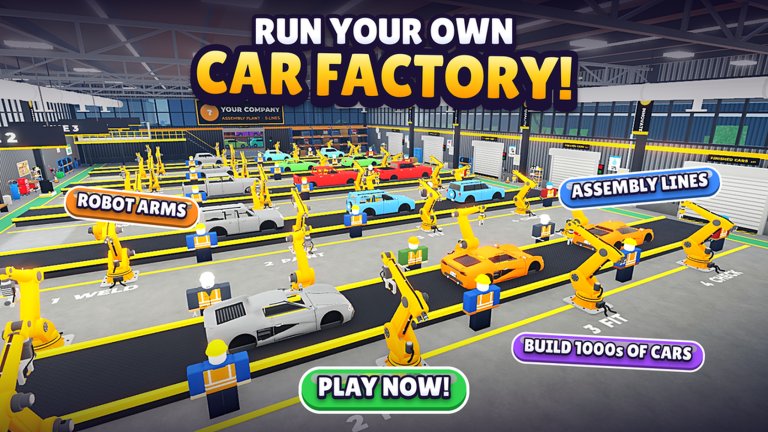
Redeeming codes in Build a Car Company takes under a minute once you know which menu holds the Codes panel. This walkthrough covers PC and mobile, explains why some codes fail, and shows what to do with Cash and RP the second they hit your balance.
Before you start, copy the latest code from the Codes Hub so you can paste it without typos.
Before you redeem
Confirm you are in the correct experience: Build a Car Company by Sunset Entertainment (place ID ending in …827044). Lookalike titles will reject every code listed on this wiki.
Optional but recommended:
- Join the Sunset Entertainment group for the free join gift mentioned in the game description.
- Finish the short tutorial so the company HUD and menu are fully unlocked.
- Have the Getting Started checklist open for post-redeem spend order.
PC redemption steps
- Launch Roblox and join Build a Car Company.
- Click the menu button in the top-right corner of the HUD.
- Select Codes from the menu list (sometimes nested under Settings).
- Click the text field and paste
VROOMor the newest active code. - Press Redeem / Claim.
- Watch for a confirmation toast; Cash and RP should update on the company bar.
If nothing happens, leave the Codes panel open for a few seconds—busy servers delay the reward packet. Rejoin only after one clean retry.
Mobile redemption steps
- Open the game on iOS or Android Roblox.
- Tap the three-dot or hamburger menu control.
- Scroll to Codes.
- Paste the code with your keyboard; avoid auto-correct inserting spaces.
- Tap Redeem and wait for the success banner.
On smaller screens the Codes entry can sit below Shop or Settings. Expand those sections before assuming the feature was removed.
Case sensitivity and formatting
Build a Car Company codes are case-sensitive. VROOM works; vroom or Vroom usually fails. Never add spaces, punctuation, or quotation marks. Paste from the Codes Hub table whenever possible.
Each code is typically redeemable once per Roblox account. Alt accounts need their own redeem if you intentionally run multiple companies.
Common errors and fixes
| Message / symptom | Likely cause | Fix |
|---|---|---|
| Invalid code | Typo, wrong game, or expired | Re-copy from Codes Hub; verify experience name |
| Already redeemed | Same account used the code | Check Cash history; wait for the next drop |
| No Codes button | UI moved after update | Check Settings / Shop; rejoin fresh server |
| Redeem freezes | Network hitch | Wait 10s, retry once, then rejoin |
| Rewards missing | Visual delay | Refresh HUD by opening factory panel |
After major Admin Abuse events the Codes panel can temporarily disable. Check the Updates Hub for notes before assuming your code is dead.
What to buy right after redeeming
Treat code Cash as runway for production, not cosmetics:
- Unlock or upgrade an assembly line so sales volume rises.
- Buy a stronger engine or drivetrain for the next model you plan to race.
- Spend RP on research that improves factory efficiency or early petrol tech—see research priority.
- Hire a designer or salesperson if staffing slots are empty (staff hiring guide).
A short loop of design → crash test → price → sell → reinvest beats hoarding Cash. The make money fast guide expands that loop with pricing tips.
Staying ready for the next drop
Codes often appear during:
- Scheduled updates and patch notes
- Admin Abuse livestreams
- Visit or like milestones on the Roblox page
- Group shoutouts from Sunset Entertainment
When a new code lands, redeem first, then skim tier list and factory guide updates so the fresh currency feeds the current meta instead of outdated parts.
Safety notes
Never enter codes on third-party “generator” sites. Only redeem inside the official Roblox client. If a site asks for your password to “apply” a code, close it. Scripts that claim to auto-redeem are unnecessary and risky—read the Scripts Hub disclaimer before installing anything.
Related pages
- Codes Hub — active and expired lists
- Getting Started — first-hour plan after rewards
- Make Money Fast — turn Cash into recurring profit
- Official Links — group and game page
Master this redeem flow once and every future code becomes a free factory upgrade instead of a missed toast notification.
Frequently Asked Questions
Quick answers to the most common questions.
Is VROOM case-sensitive?
Yes. Enter VROOM in all capitals with no spaces. Lowercase variants usually fail.
Can I redeem the same code twice?
Almost never. Codes are limited to one redeem per Roblox account.
The Codes button disappeared—what now?
Check Settings and Shop menus after updates, then rejoin a fresh server. Confirm you are in Build a Car Company by Sunset Entertainment.
Should I spend code Cash on paint first?
No. Prioritize assembly lines, engines, research efficiency, and staff so Cash keeps generating after the code is gone.